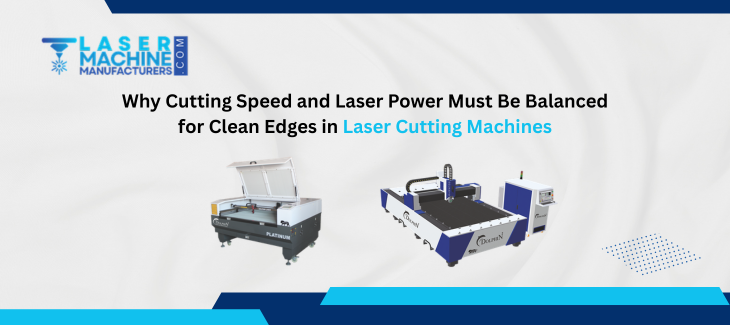
You know what is actually annoying? You set up everything, run the job, and the edge comes out rough. Or there is a burn mark. Or the cut did not go all the way through. And you are just standing there thinking -what went wrong?
Nine out of ten times, the answer is that the speed and power were not balanced properly. That is it. That one thing ruins more cuts than anything else.
This post gets into exactly why that balance matters so much in laser cutting machines, and what actually happens when you get it wrong on either side.
First, Understand What the Laser Cutting Machines Is Actually Doing
When a laser cutting machine runs, it throws a concentrated beam of light at the material. That beam heats a tiny spot so intensely that the material either melts or vaporizes right there.
Now here is the thing -the laser is moving across the surface at a certain speed while putting out a certain amount of power. These two things together decide how much energy per millimeter the material actually receives.
That energy per unit length has a name -it is called heat input or energy density. And the whole game of getting clean edges comes down to controlling that number properly.
What Happens When Power Is Too High for the Speed
Say you are running the laser slowly, but the power is cranked up. Too much energy is going into one spot for too long.
The material does not just melt cleanly -it overheats. The edges get burnt. On metals, you see oxidation and discoloration. On acrylic or wood, you get charring and sometimes even flames along the edge.
The cut might go through fine, but the edge quality is ruined. You end up spending time cleaning, sanding, or just scraping the piece. Laser cutting machines are meant to reduce that kind of rework, not create it.
Also, too much heat can:
- Warp thin sheets because the surrounding area heats up too
- Create burrs on the underside of metal cuts
- Damage the material structure right near the cut line
- Leave a wide kerf instead of a clean, narrow one
None of that is what you want.
What Happens When Speed Is Too High for the Power
Now flip it. Power is set low, but the machine is moving fast. The laser does not stay on any one spot long enough to put in enough energy.
The material does not fully melt through. You get an incomplete cut. Or it cuts halfway and then the beam just passes without finishing the job. On thicker materials, this happens really fast -even a small mismatch, and the cut just stops going through.
Sometimes it partially cuts but leaves a thin layer at the bottom. You think the job is done, then you try to remove the piece, and it tears instead of separating cleanly. That rough, torn edge is all because the power was not enough for how fast the head was moving.
In laser cutting machines, moving fast sounds productive, but it is completely pointless if the cut quality is bad.
The Sweet Spot -Where Clean Edges Actually Come From
When speed and power are balanced correctly, the laser puts just enough energy into the material to melt it cleanly and let the assist gas blow it out of the kerf.
The result is:
- A narrow, straight cut line
- Smooth edges that need little or no finishing
- No burning or discoloration on the surrounding material
- Consistent depth all the way through the cut path
This balance point is different for every material and every thickness. A 1mm stainless sheet needs a very different power and speed combination compared to a 10mm mild steel plate. And acrylic behaves completely differently from both.
That is why proper parameter setting is not optional -it is the actual skill in running laser cutting machines well.
Material Type Changes Everything
Same power, same speed -but different material. You will get a completely different result. This is something new operators learn pretty quickly.
Reflective metals like copper and brass are tough. They reflect a lot of the laser energy instead of absorbing it. So you need higher power, and you need to move carefully. Otherwise, the beam bounces around, and the cut becomes inconsistent.
Mild steel cuts great with oxygen as an assist gas, but the speed and power window for clean edges is tighter than people expect. Stainless needs nitrogen at high pressure to keep the edges oxide-free, and the speed has to be dialed in closely.
Thicker materials need more power and slower speeds. Thinner materials can take higher speeds, but you have to bring the power down, or you will blow through them and widen the kerf badly.
Laser cutting machines are not a one-setting machine. Every job needs its own tuning.
Assist Gas Plays a Role Too
People focus only on speed and power, but the assist gas is part of this balance as well.
Gas pressure affects how efficiently molten material gets cleared from the cut. If pressure is too low, molten metal stays in the kerf and resolidifies -creating rough edges and dross on the underside. If pressure is too high on a thin material, it can actually push the melt before it separates cleanly.
So even when speed and power are right, wrong gas pressure can still mess up the edge. All three work together in laser cutting machines.
Upgrade your non-metal cutting projects with our precision-engineered CO2 laser cutting machines for smooth edges and detailed engraving work.
How Operators Actually Find the Right Balance
There is no magic formula that works for every setup. Most experienced operators do test cuts first.
They run a small test on scrap material -try a few combinations of speed and power -then check the edge. They look at:
- Whether the cut went fully through
- How the edge surface looks -smooth or rough
- Whether there is dross on the bottom
- How wide is the kerf
Based on what they see, they adjust. More power if the cut is incomplete. More speed or less power if there is burning. Take small steps each time until the edge looks right.
Laser cutting machines with modern controllers also have parameter tables built in for common materials. Those are a good starting point, but real-world conditions -material grade, surface coating, ambient temperature -always require some manual fine-tuning.
FAQs on Laser Cutting Machines
Q1. What happens if I just run high power all the time to be safe?
You will burn the edges and waste energy. High power only works if the speed matches it. Running them out of balance always hurts quality.
Q2. Does material thickness affect the power and speed balance a lot?
Massively. Thicker material needs a slower speed and more power. Thin material needs the opposite. They are not even close to the same setting.
Q3. Can I use the same settings for steel and aluminium?
No. They absorb laser energy differently and need different combinations. Always do a test cut when switching materials.
Q4. Why does my cut look fine on top but rough on the bottom?
Usually, the power is slightly low for that speed, or the gas pressure is not clearing the melt properly. Try slowing down a little or increasing gas pressure.
Q5. How often should I recalibrate settings on laser cutting machines?
Every time you change material type or thickness. Also after any maintenance or lens cleaning, since those affect beam quality.
Follow us on Facebook for more simple guides and insights on laser cutting machines and industrial technology.